


The latest functional delivery of SOLIDWORKS Electrical Schematic Professional, R2026x FD01, introduces key enhancements designed to streamline your electrical design workflows. These updates focus on improving efficiency, clarity, and access to essential content, empowering engineers to tackle complex projects with greater ease and precision.
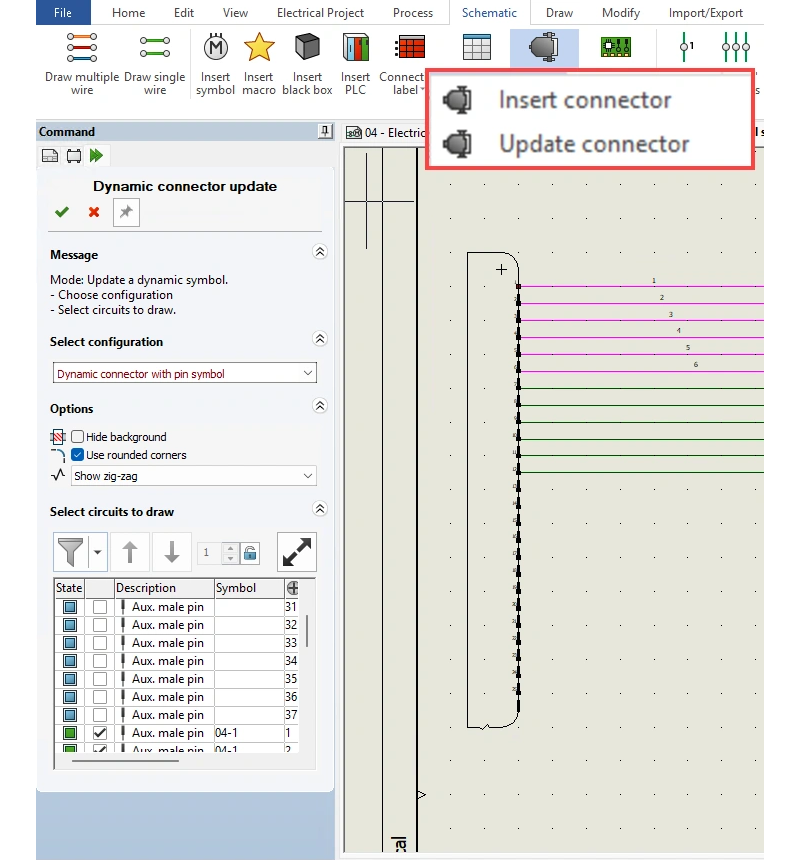
Update Existing Connectors without Reinsertion
Building upon the previous capability to insert connectors on an existing schematic, the new Update Connector command offers significantly greater flexibility. Designers can now add, remove, or reorder circuits and adjust layout options without the necessity of deleting and reinserting symbols.
This enhancement accelerates schematic updates by allowing direct editing of connector symbols post-placement. It reduces rework, maintains cleanliness and consistency in complex schematics, and adapts seamlessly to evolving design requirements, ensuring your documentation remains accurate and up-to-date.
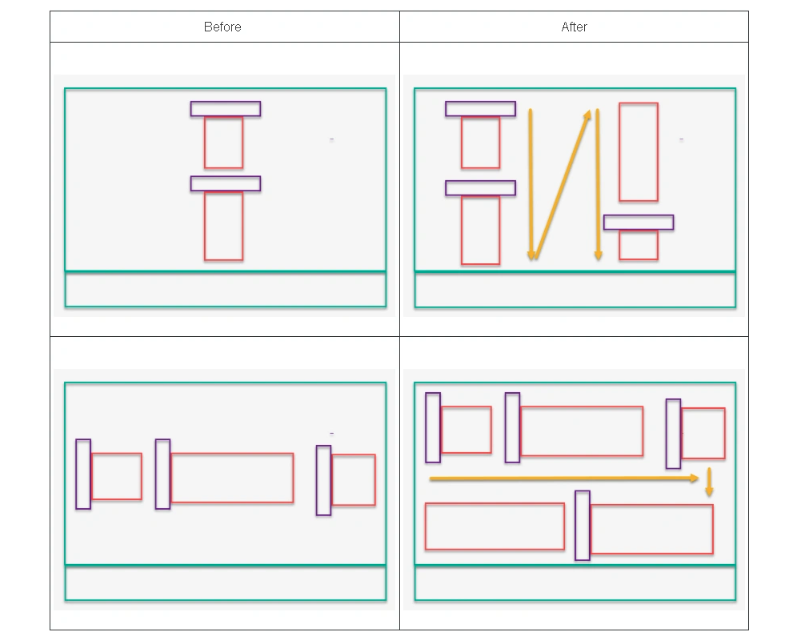
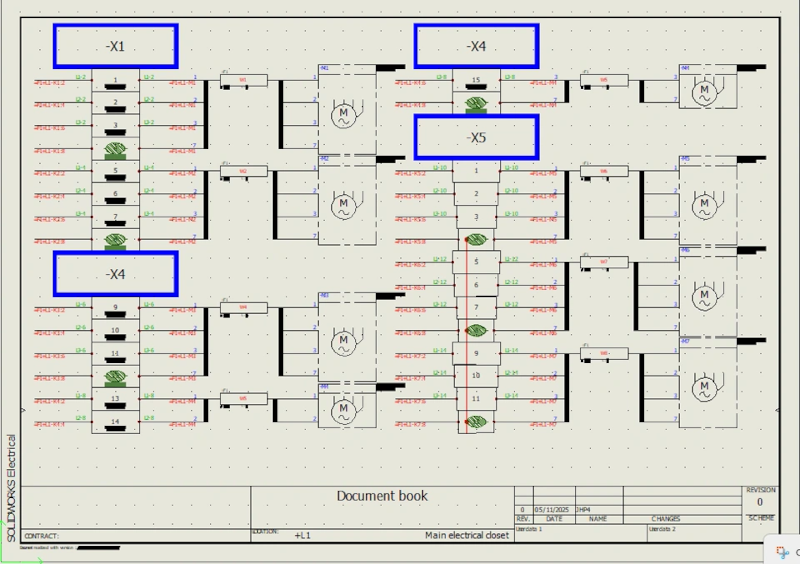
Draw Multiple Terminal Strips Side by Side
SOLIDWORKS Electrical Schematic Professional R2026x FD01 now enables users to draw terminal strips side by side. This clear visual representation provides a deeper understanding of how terminals connect to different components, enhancing the overall continuity and readability of the schematic itself.
This feature minimizes manual documentation efforts and expedites schematic output. The ability to place multiple terminal strips on a single page with flexible horizontal and vertical layouts improves drawing clarity, reduces page count, and delivers more compact, production-ready documentation for your projects.
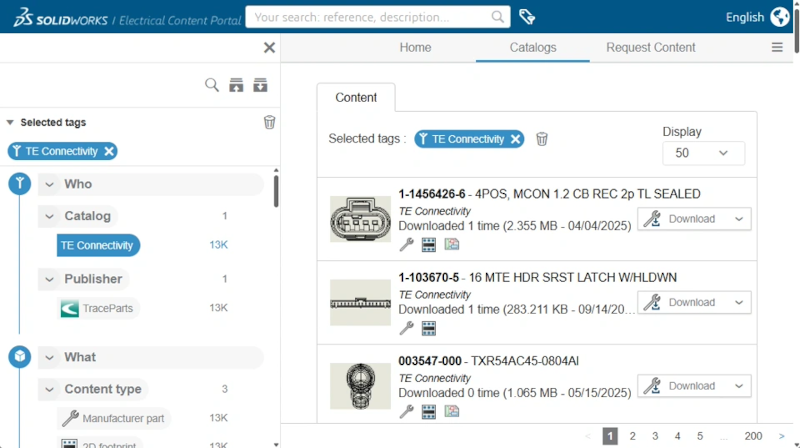
Direct TEWZIP Access and Transparent Content Tracking
Tens of thousands of fully detailed TE Connectivity electrical components have been integrated directly into the Electrical Content Portal (ECP). All associated data, including metadata, symbols, footprints, and 3D models, are now natively stored and delivered from the ECP, replacing the former TraceParts website viewer.
This integration ensures faster loading times and more consistent navigation within the ECP. Users benefit from centralized access to all TE Connectivity electrical components and a seamless user experience, free from external frames or redirections, making content access more efficient than ever before.
Acaddes Pro-Tip: Enhance Your Workflow with SOLIDWORKS Electrical 3D (E3D)
For even greater integration and capability, remember the SOLIDWORKS Electrical 3D (E3D) role, a cloud-connected solution introduced last year. E3D creates a direct, two-way connection between 3D CAD and SOLIDWORKS Electrical Schematic Professional (platform version).
With E3D, you can precisely place electrical components in your 3D models, auto-route wires and cables based on defined rules, and generate accurate production documentation such as precise wire lengths and comprehensive harness drawings. Explore its full potential to bridge your electrical and mechanical design efforts.
Learn more about E3D in this dedicated blog post.
Stay tuned for more essential updates throughout the year that will continue to enhance your SOLIDWORKS Electrical experience.